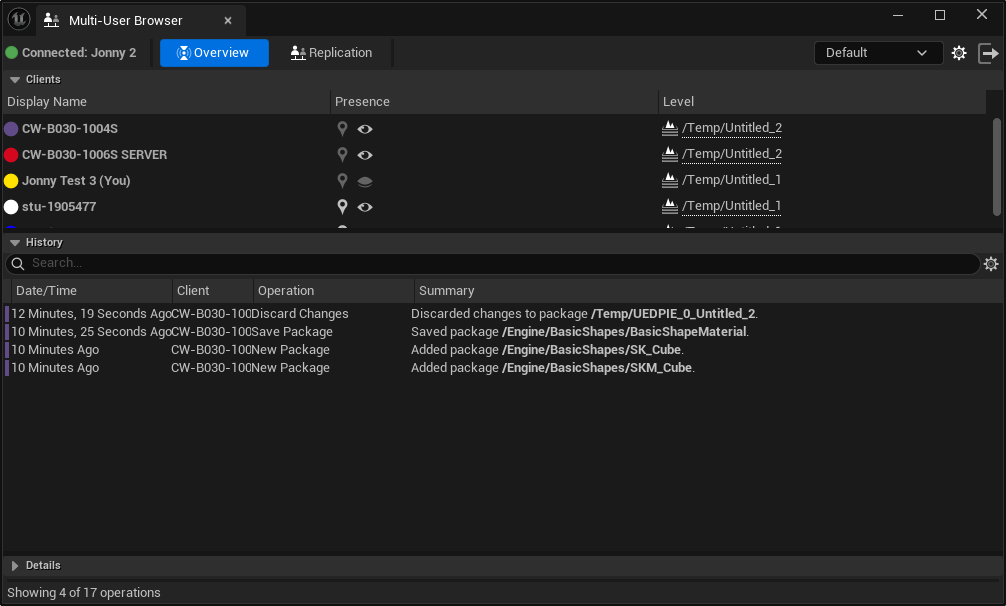
Before you begin, if you are planning to collaborate on an existing project, you need to copy it to the PCs your are using.
-You only need to copy the Config and Content folders and the .uproject file
-Best to copy the project to the 'Documents\Unreal Projects\' folder of each user's profile.
Otherwise, if you are starting a blank project, make sure all users give it the same name/initial settings.
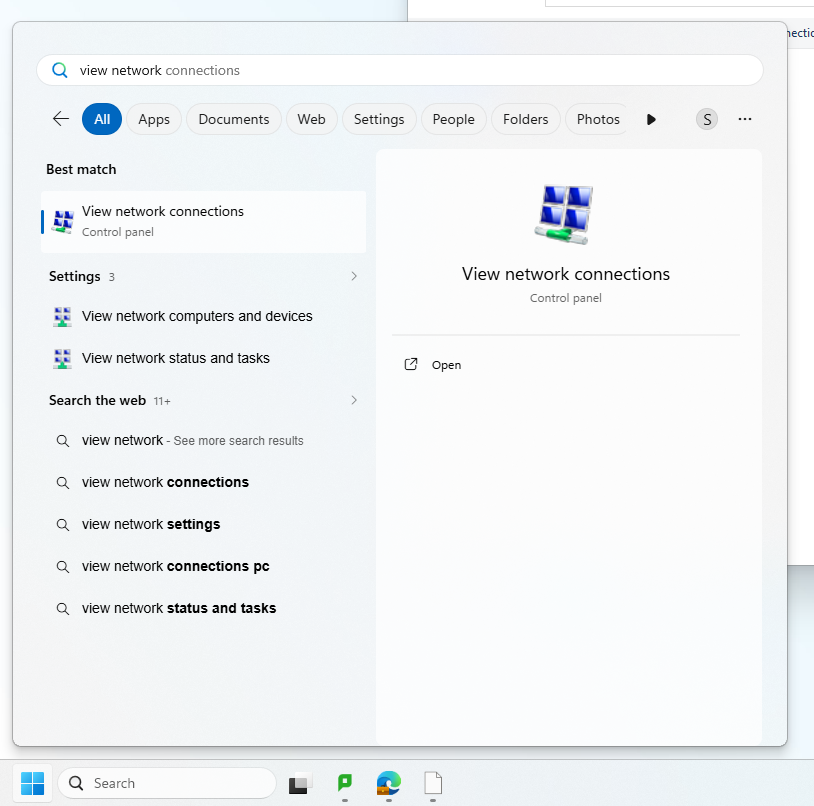
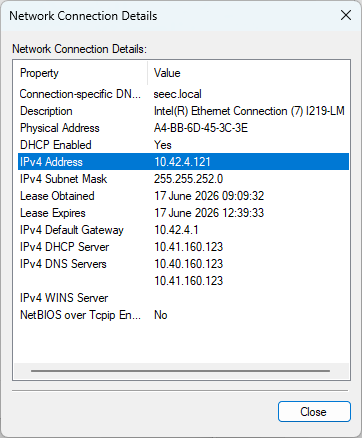
Firstly, you will need the IP address of the machines being used. To get this on student devices, go to 'View network connections' from the Start Menu.
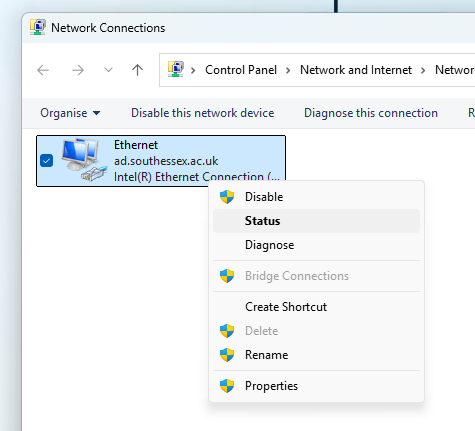
Right click the Ethernet connection and go to Status.
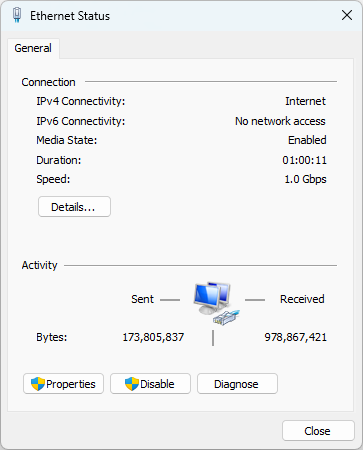
Click on Details to see the IPv4 address. Make a note of this.
In Unreal Editor, you will need to install the Multi-User Editing plugin.
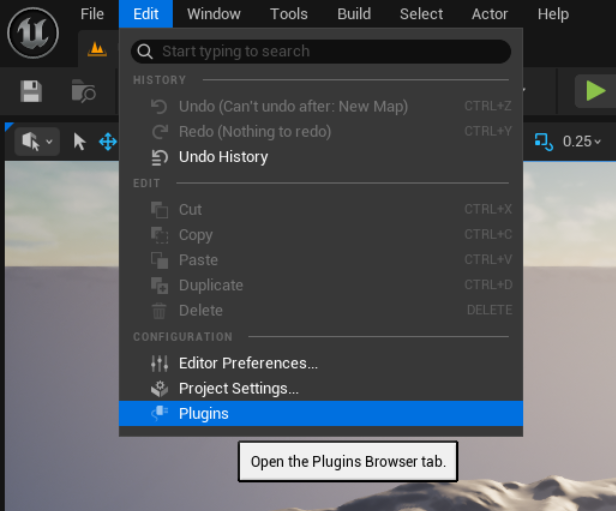
Go to Edit > Plugins.
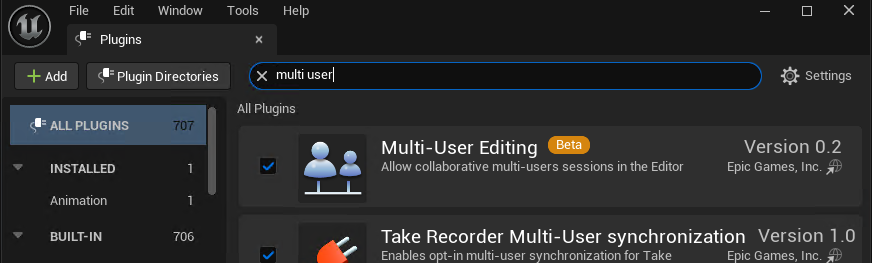
Check the box to install the Multi-User Editing Plugin, it will prompt you to restart Unreal Editor.
You will need to choose a machine to be the Host machine. On this machine you will launch the Multi-User Editing browser. The other machines are considered 'Client' computers and will connect to the Host machine.
On the Host machine, set the following settings.
Under Multi-User Editing
-Enable Multi-User Toolbar Button
-Auto Connect
-Display Name
-Avatar Color
-Server Port set to "7000"
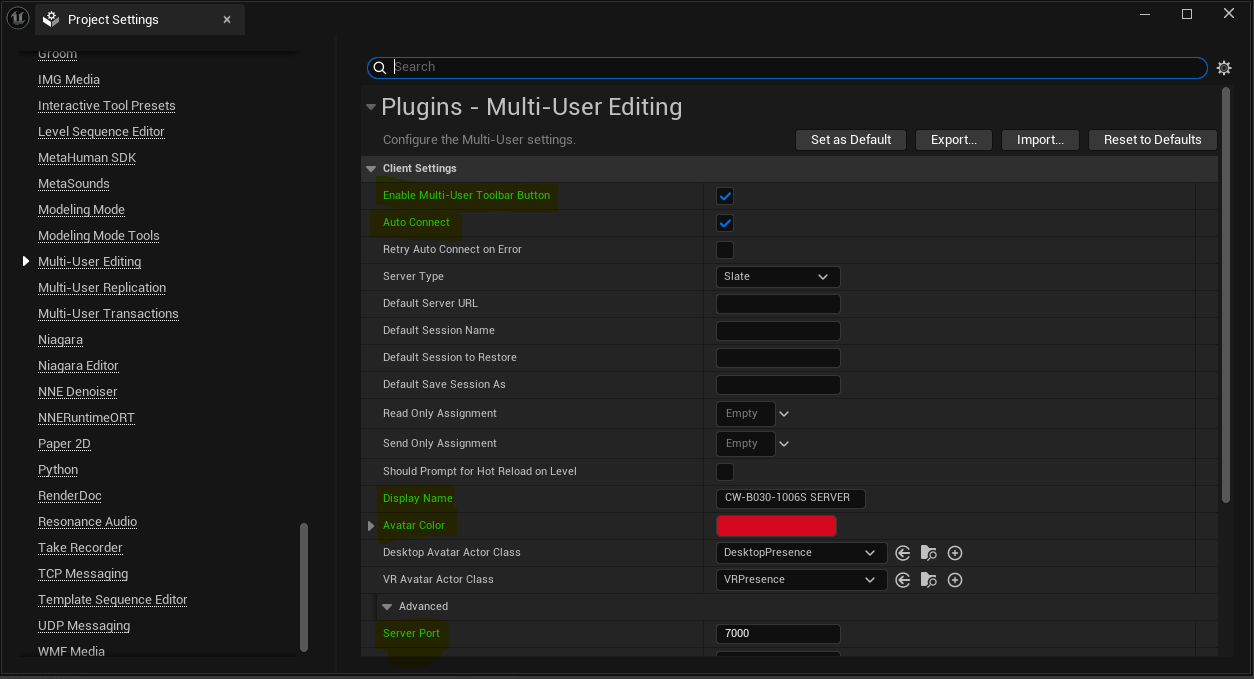
Do not set the Server Port to 6666 as it suggests in some guides.
Under UPD Messaging
-Enabled by Default
-Enable Transport
-Unicast Endpoint set to "0.0.0.0:0"
-Static Endpoints enter the ip address of each computer that will be collaborating with port number :6666, eg. 10.42.4.61:6666
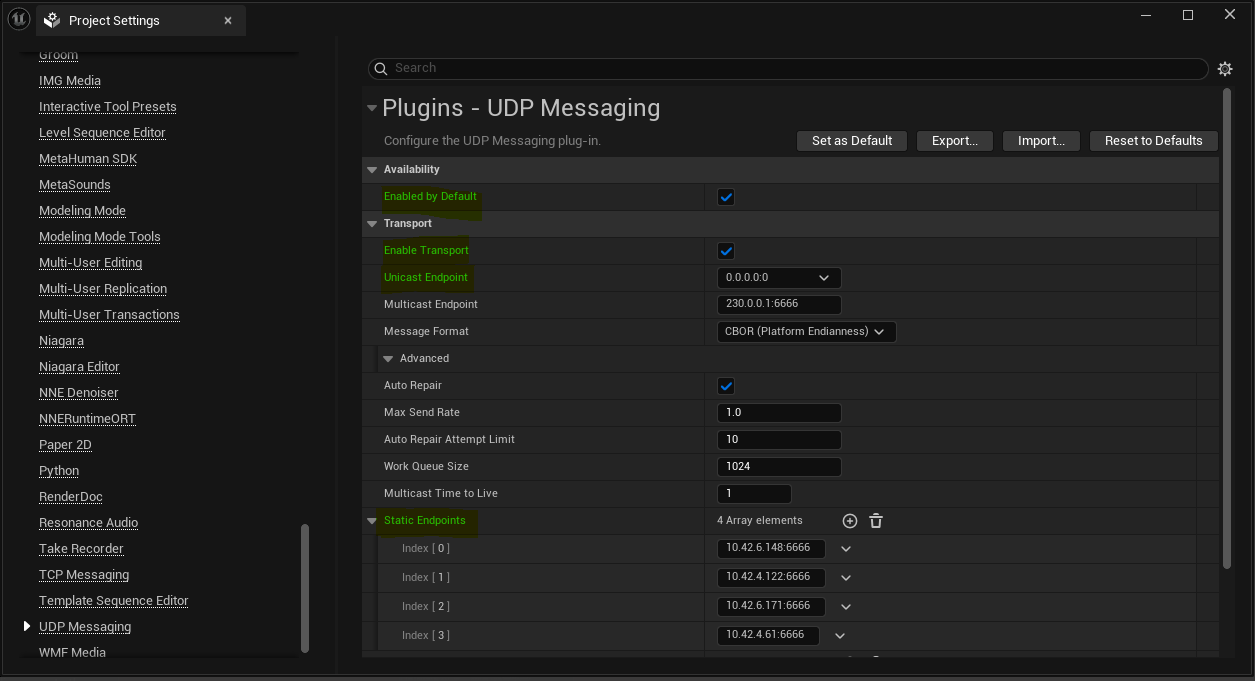
Save and restart if prompted.
Then open the Multi-User Browser and Launch a Server and start a session.
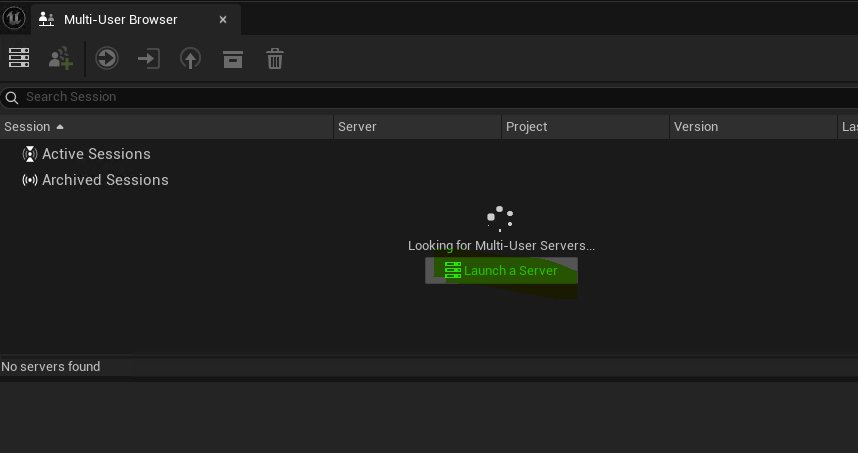
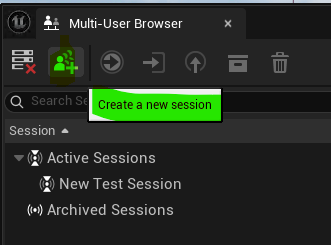
On each Client machine, set the following settings.
Under Multi-User Editing
-Enable Multi-User Toolbar Button
-Auto Connect
-Display Name
-Avatar Color
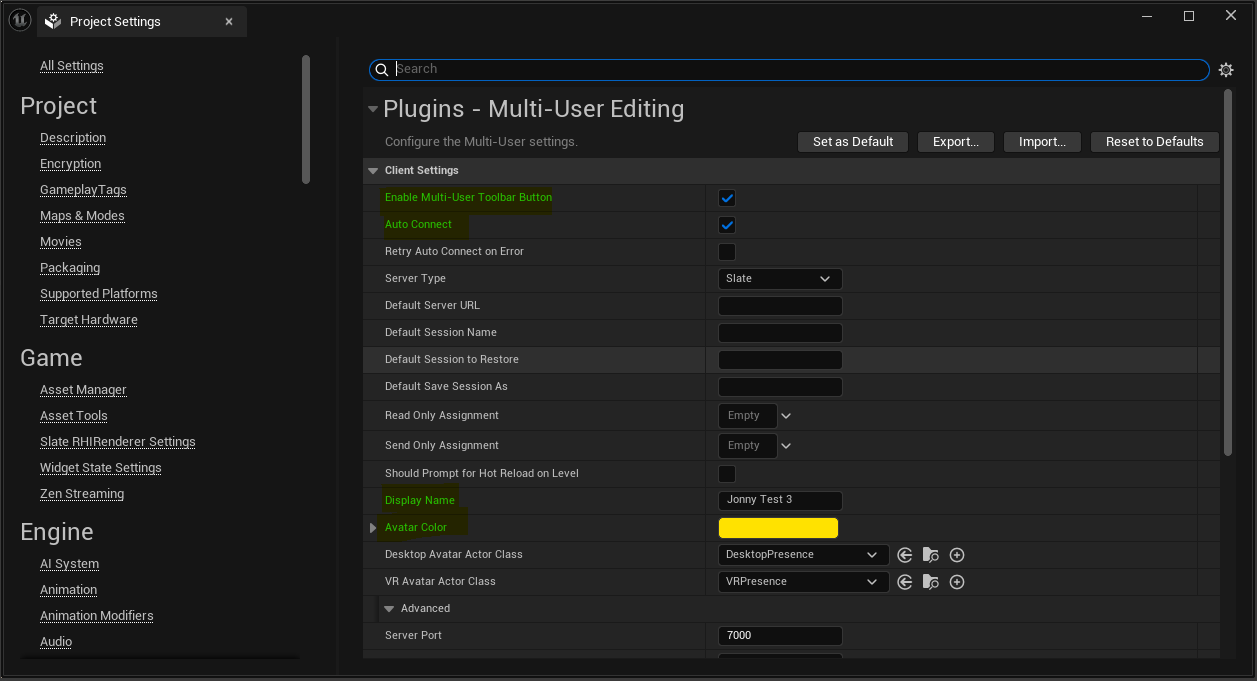
Under UDP Messaging
-Enabled by Default
-Enable Transport
-Unicast Endpoint set to the IP address of the client machine with port 0, e.g. 10.42.4.61:0
-Static Endpoints add the Host machine's IP address with port 7000, e.g 10.42.4.121:7000
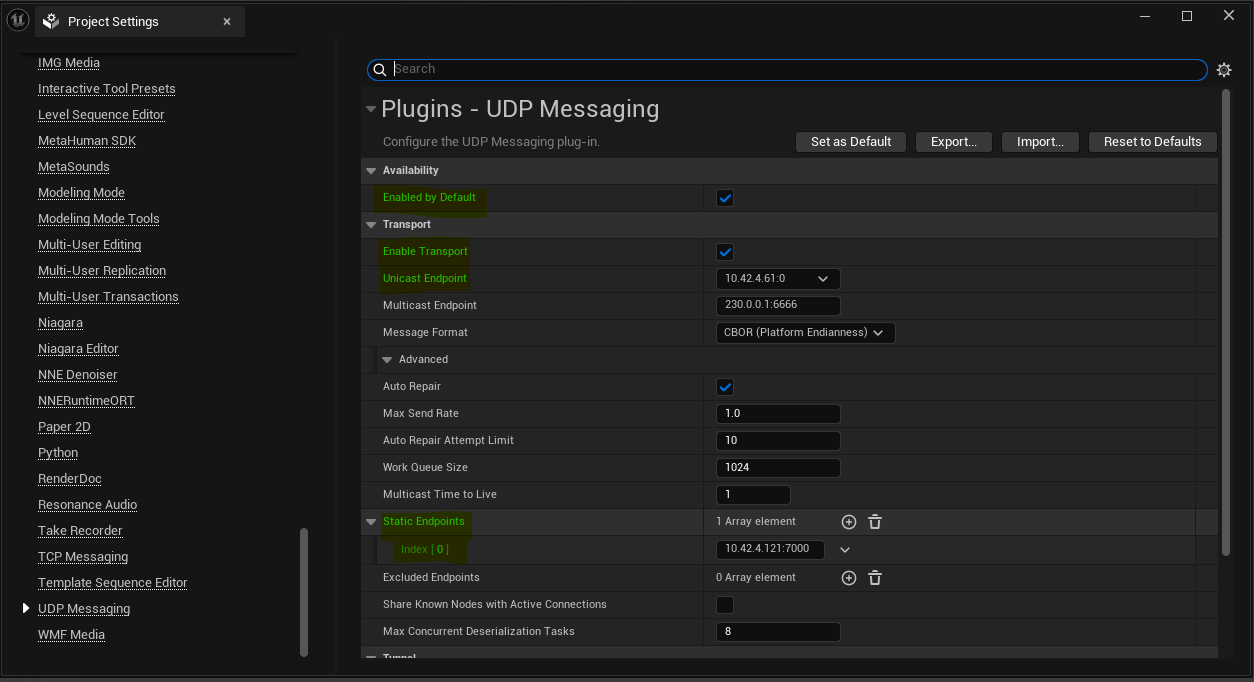
Save and close, restart if prompted.
You should now be able to launch the Multi User Editing Window and see / join the session we set up on the host machine.